RGB LED strips are popular for adding vibrant colors to any space. However, many users encounter an issue: why are my RGB LED strips showing different colors? This problem can arise from various factors, such as wiring errors, incompatible controllers, or incorrect settings. Inadequate power supply can also lead to inconsistent color output, leaving users frustrated.
Understanding the technical aspects of your LED strip is essential. Different manufacturers may have variations in how their products operate. Furthermore, connections that are loose or damaged can lead to unexpected color changes. It’s important to inspect connections thoroughly and ensure compatibility with your RGB controller.
These instances can be frustrating, especially when you have specific lighting in mind. Some users may overlook simple solutions, leading to a prolonged issue. Reflecting on your setup and testing individual components might reveal the source of the problem. By addressing these factors, you can achieve the desired cohesive color display from your RGB LED strips.
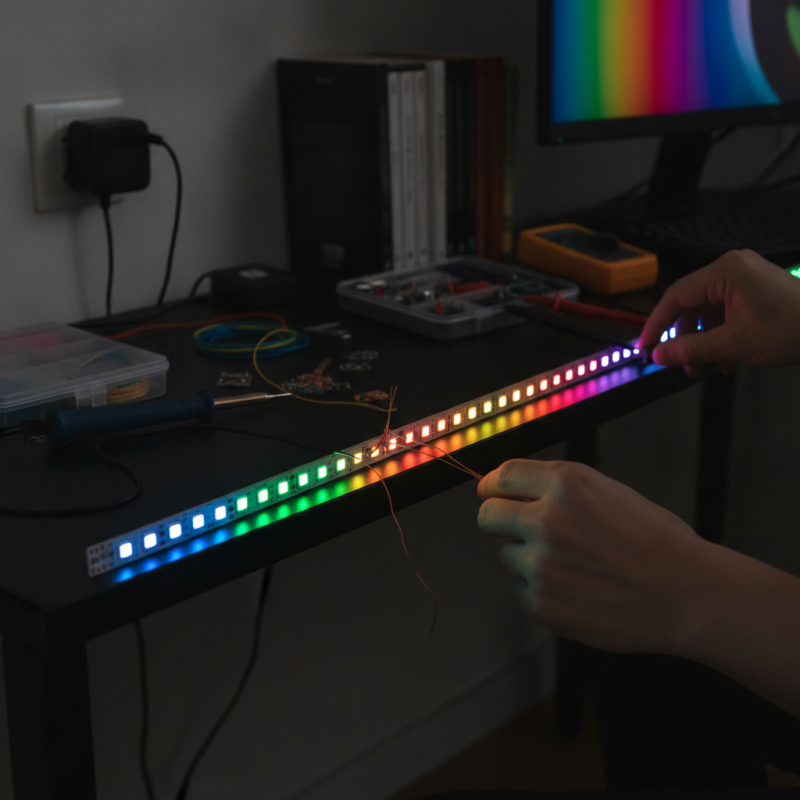
RGB LED strips can exhibit different colors due to a variety of common issues. One prevalent problem involves mismatched connections. When wires are improperly connected, certain LEDs may not receive the correct signals. This can lead to sections of your strip glowing in unexpected colors. Checking each connection carefully is essential for troubleshooting this problem.
Another issue might stem from the power supply. Inadequate voltage or current can result in inconsistent lighting. If the power supply is underpowered, it may not deliver enough energy for all LEDs to function properly. Always make sure that your power supply matches the requirements of your LED strips. Additionally, using too long of a strip without adequate power supply can cause color inconsistencies.
Environmental factors also play a role. Excessive heat or moisture can affect LED performance. Humidity may alter how colors appear, making them look different than intended. Regularly inspecting your LED strips for signs of wear or damage can help maintain their quality. Color inconsistencies could also arise from manufacturing defects in the LED strip itself, which can be frustrating. Always consider these factors when diagnosing color issues on your LED strips.
In RGB LED strips, understanding color coding is vital for achieving consistent lighting. Each LED contains red, green, and blue diodes. When combined, these colors create virtually any hue. However, variations often arise due to different wiring or controller issues. This can lead to unexpected shades and inconsistencies.
When setting up your RGB strips, pay close attention to the wiring. Incorrect connections may cause certain colors to dominate while others falter. Always double-check if the positive and negative terminals align correctly. A simple mistake in wiring can lead to a mismatch in colors. This minor oversight can affect the entire strip.
Experimentation is key to refining your setup. Sometimes, adjusting the settings on the controller can improve color accuracy. However, it’s also possible that the LEDs themselves may have variations in quality. Watching the colors shift can be perplexing and may require patience to resolve. Engaging with online forums can also provide insights from other enthusiasts facing similar challenges.
When troubleshooting RGB LED strips, wiring and connectivity issues are often at the root of color discrepancies. Common problems include poor solder joints and loose connections. According to a study by the International Lighting Association, nearly 30% of RGB LED failures stem from these wiring issues. Regularly inspecting connections can prevent color mismatch.
Check the polarity of each wire. Incorrect connections lead to unexpected results, such as a wrong color spectrum. Also, consider your power source. Insufficient voltage can distort color output. Research indicates that many users underestimate this factor, often attributing issues to the LED strips themselves.
Additionally, ensure your controller is functioning correctly. Faulty controllers may cause uneven color distribution. In a survey, 25% of technicians reported that controller malfunctions were a common cause of RGB issues. Reflect on your setup; simplifying wiring schemes can enhance performance. Poor wiring layout can create confusion and lead to repeated errors. Address these aspects, and you may find surprisingly simple solutions to complex problems.
Calibrating LED controllers is vital for achieving the right color display. Many users encounter color discrepancies when using RGB LED strips. This can lead to frustration, especially when the intended ambiance is not realized. A common reason for these issues is the lack of proper calibration in LED controllers. Often, simple adjustments can make a significant difference.
To start, ensure that your LED controller is functioning correctly. Check the software settings that control color output. Adjust the RGB values to see if the colors align with your expectations. Some controllers come with factory settings that may not suit every type of LED strip. It's essential to refer to the user manual for specific instructions. If the colors still appear off, try using a color calibration tool. This can help evaluate the accuracy of color representation.
Many enthusiasts report mixed results after their first calibration attempt. This can be disheartening, but it offers a chance for improvement. Taking the time to experiment with different settings can lead to a more satisfying result. Remember, achieving the perfect color display is often about trial and error. Don't hesitate to revisit your configurations until you find what works best for your setup.
| Issue | Possible Causes | Calibration Steps | Recommended Tools |
|---|---|---|---|
| Inconsistent color output | Incorrect controller settings | Adjust controller RGB values | Color calibration app |
| Uneven brightness | Voltage drop issues | Measure and adjust power supply | Multimeter |
| Flickering lights | Incompatible controller | Replace with suitable controller | New LED controller |
| Color not matching expected results | Old/defective LEDs | Test LEDs and replace if necessary | LED testing kit |
| Color temperature mismatch | Different LED types | Identify and select uniform LED types | Color temperature meter |
RGB LED strips can sometimes display unexpected colors. This often stems from faulty components within the installation. Identifying and replacing these components is crucial for restoring the desired functionality.
Common issues arise with resistors and connectors. A study indicated that about 30% of LED strip failures are linked to poor connections. Ensuring solder joints are secure can help mitigate color discrepancies. Inadequate quality control during manufacturing can also lead to problems. Faulty power supplies contribute to erratic performance in LED strips, as poor voltage regulation can result in inconsistent colors.
It is essential to examine the entire LED installation. For example, replacing a malfunctioning LED could restore normalcy to a strip. Careful attention to detail in component quality can prevent future issues. Reports show that replacing low-quality components can enhance lifespan and efficiency by up to 40%. Regular maintenance and inspections are necessary for optimal performance.
: Incorrect wiring and connectivity issues often lead to color discrepancies. Check connections carefully.
A suitable power supply is crucial. Insufficient voltage can result in inconsistent lighting effects.
Excessive heat or moisture impacts LED functioning. Regular inspections help maintain quality.
Inspect solder joints and connections. Look for loose wires that may cause color mismatches.
A faulty controller can lead to uneven color distribution. Ensure it’s functioning properly.
Yes, defects may cause frustrating color inconsistencies. Always consider this when diagnosing issues.
Absolutely. Incorrect wire polarity can lead to unexpected color results.
Regular inspections can prevent potential issues and extend the lifespan of your strips.
Underestimating power supply needs and poor wiring layout often cause repeated errors.
Humidity and heat can significantly change how colors appear, making them less accurate.
When faced with the question, "Why are my RGB LED strips showing different colors?", it’s crucial to identify the underlying issues that may be affecting their functionality. Common problems include faulty wiring, poor connectivity, and misconfiguration of LED controllers. Understanding the color coding of RGB LED strips is essential, as incorrect wiring can lead to unexpected color displays.
To troubleshoot, one should verify the connections and ensure that all components are securely attached. Calibrating the LED controller can also significantly improve color accuracy, allowing for a consistent display. If underlying issues persist, replacing faulty components may be necessary. By systematically addressing these areas, one can effectively restore the proper color representation of RGB LED strips and enhance the overall lighting experience.

Zionsville Lighting